What Is Scalability in System Design? Explained Simply
- Architecture
- Engineering
- Learning
- Cloud
Let me start with a question.
Have you ever opened an app the moment it went viral and got a blank screen? Or tried to book a ticket online during a flash sale and watched the page just... spin?
That's not bad luck. That's a system that wasn't designed to scale.
In this blog, we're going to understand what scalability actually means, why it matters, and how real systems handle it. Starting with a cashier at a supermarket.
The Supermarket Analogy
Imagine a small supermarket. One cashier. Ten customers a day. Everything runs smoothly. The cashier handles every billing, bags every item. Life is good.
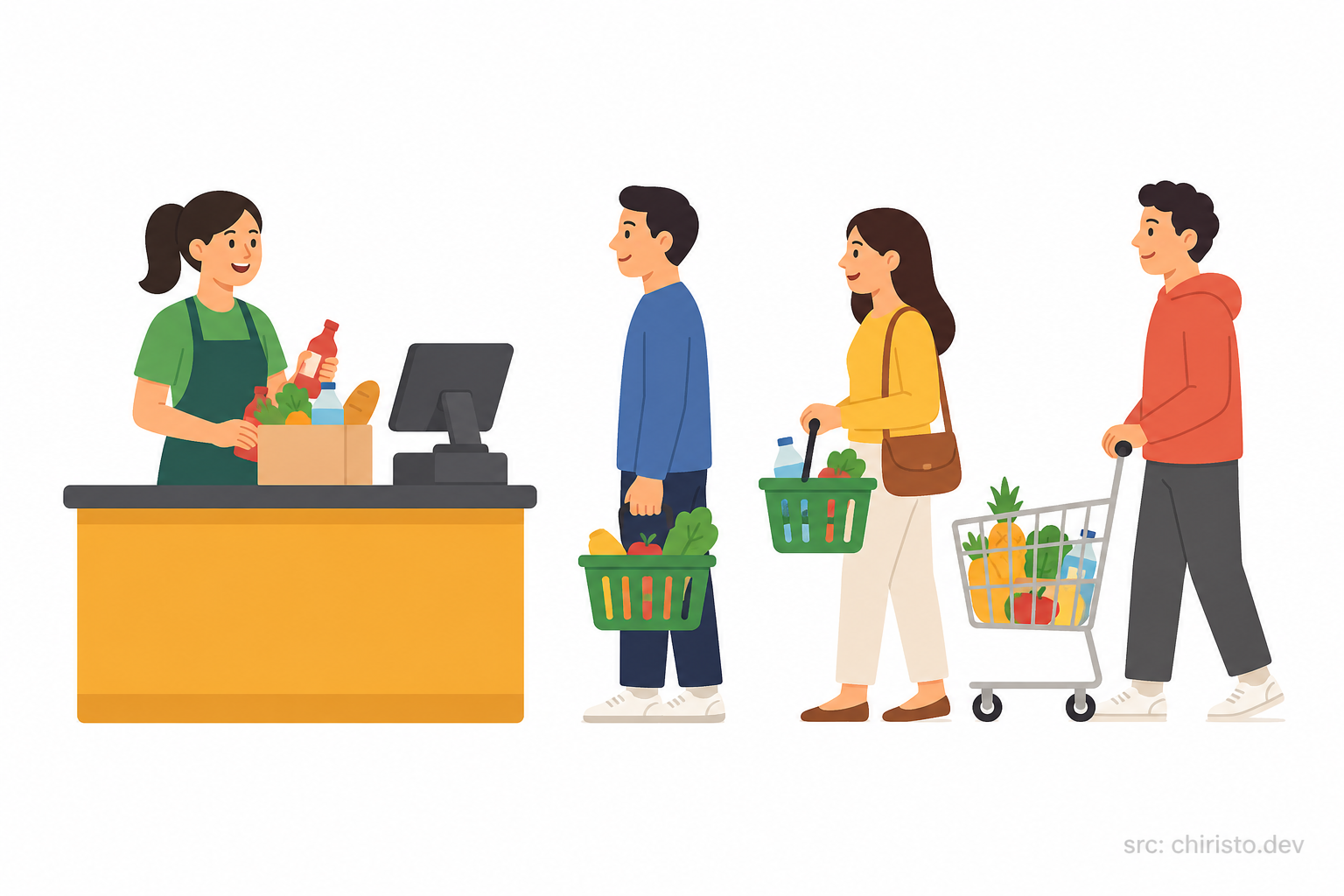
Now imagine the store runs a massive sale. Suddenly 200 customers show up.
Same cashier. Same counter. Same speed.
The queue explodes. People wait 40 minutes. Some leave. Some get angry. The cashier burns out.
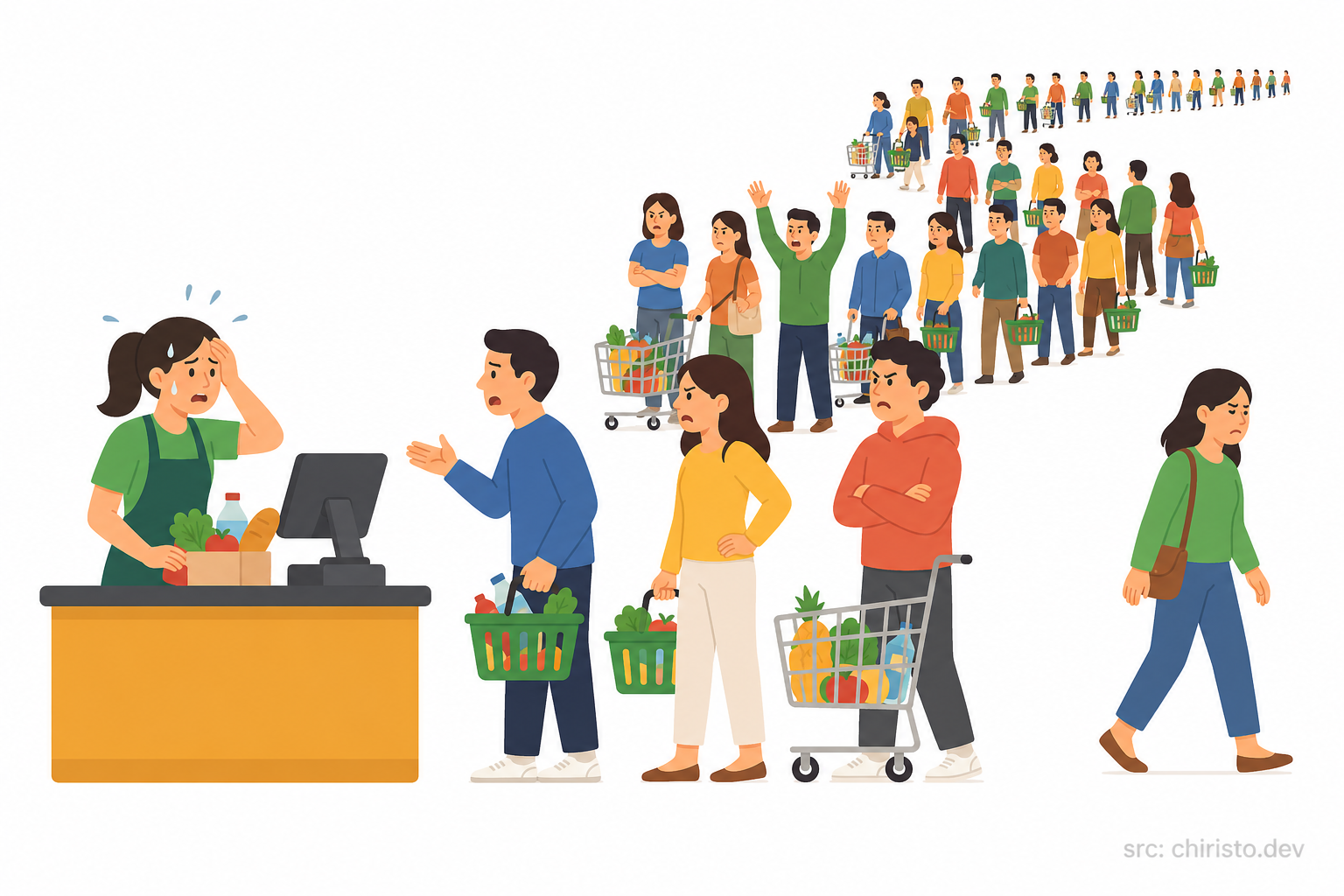
This is exactly what happens to a software system when traffic spikes beyond what it was designed to handle.
Your server is the cashier. Your users are the customers. And if you haven't thought about scalability, your system will behave exactly like that one overwhelmed cashier.
So What Is Scalability?
Scalability is a system's ability to handle increasing load - more users, more requests, more data - without breaking down.
A scalable system doesn't just survive traffic spikes. It does so gracefully - maintaining speed, reliability, and correctness even as load grows.
There are two fundamental ways to scale a system. Let's understand both.
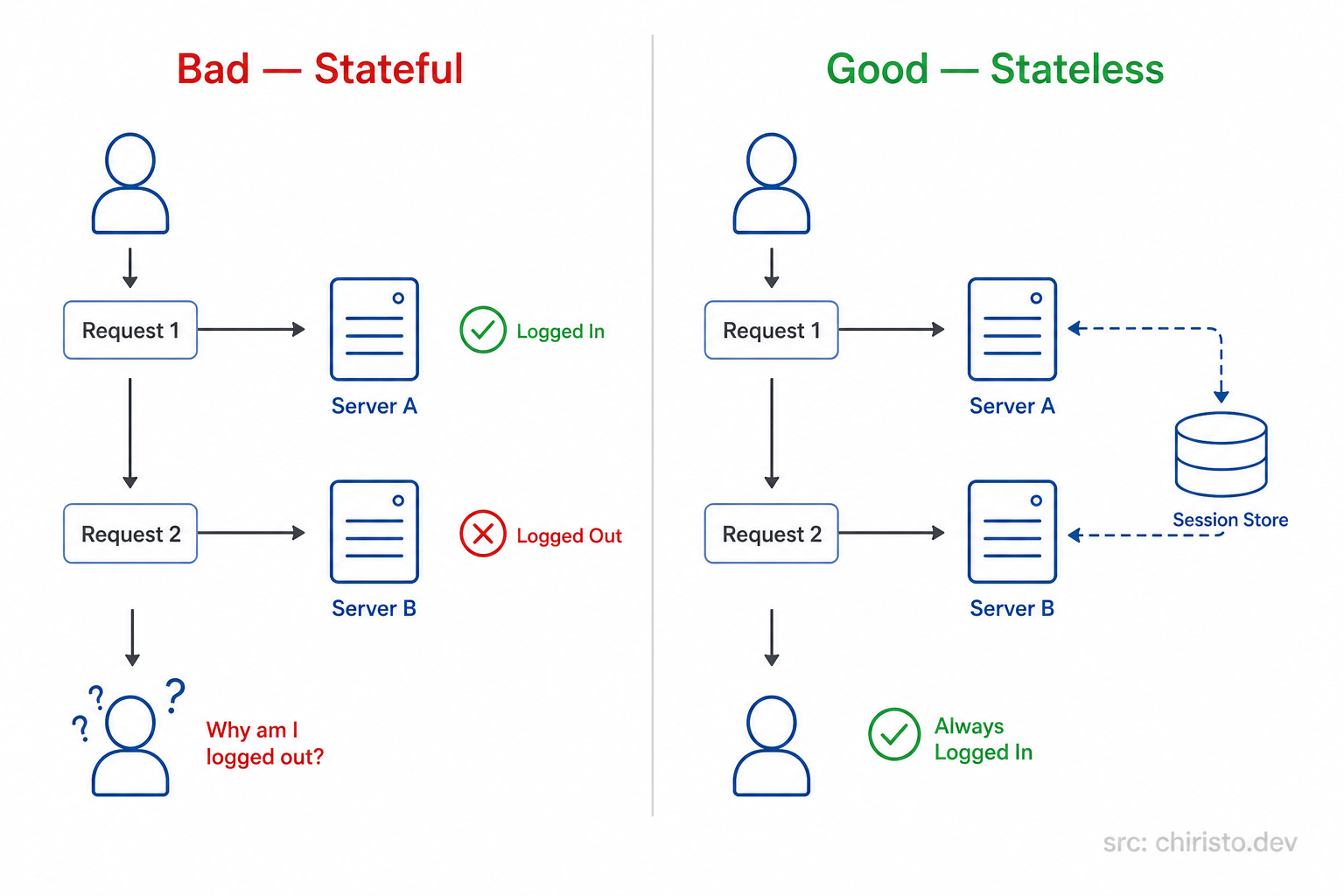
Approach 1: Vertical Scaling (Scale Up)
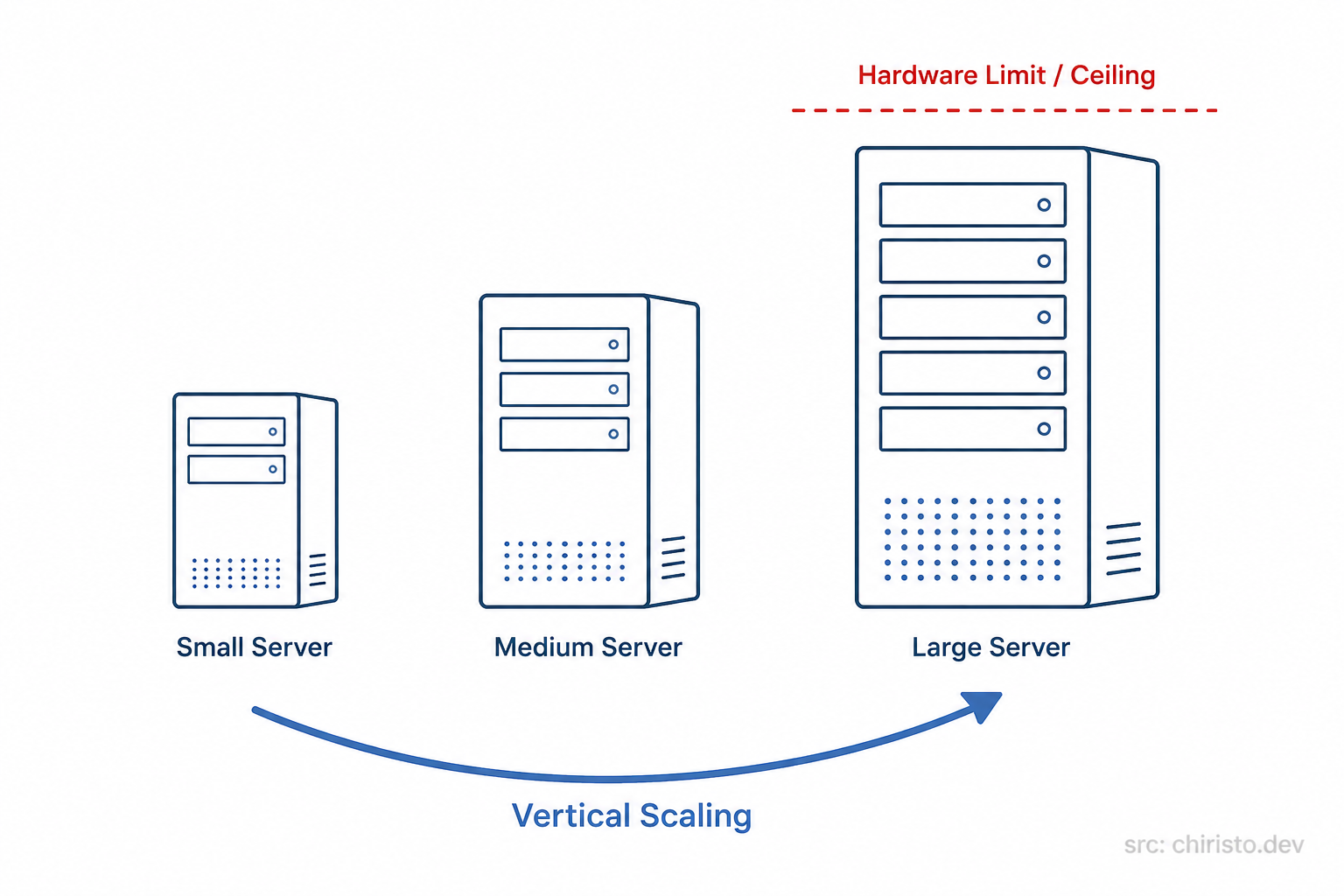
The first instinct is simple: make the machine bigger.
Going back to the supermarket, instead of adding more cashiers, you replace the existing cashier with a superhuman who processes 10x faster, has three arms, and never needs a break.
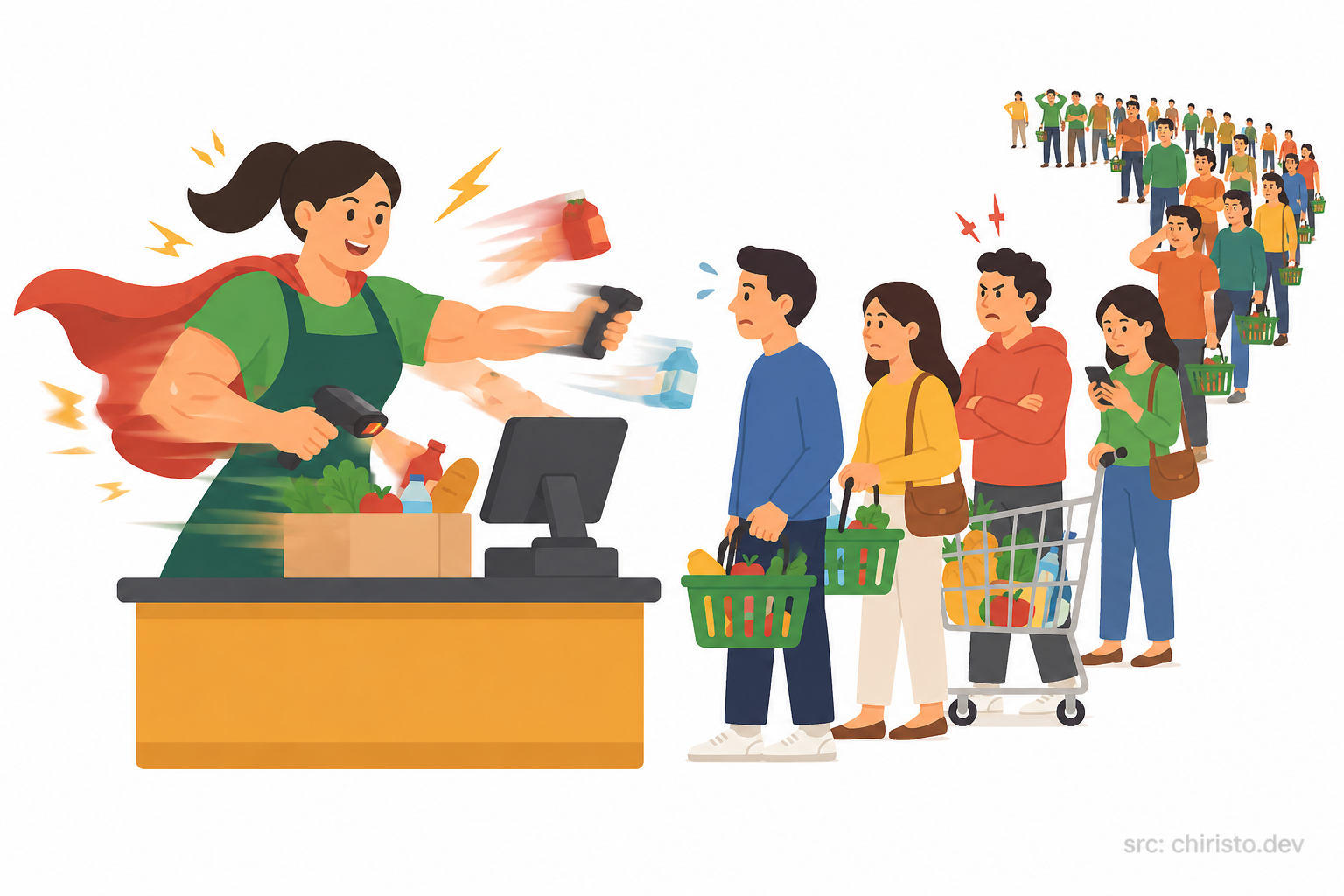
In software terms, this means upgrading your server:
- More CPU cores
- More RAM
- Faster storage (SSD to NVMe)
The upside: Simple. No code changes. No architecture changes. Just upgrade the machine.
The downside:
- There is a physical ceiling. You can only make a machine so powerful.
- It is expensive, premium hardware costs grow exponentially.
- It is a single point of failure. If that one big server goes down, everything goes down.
- Downtime may be required during upgrades.
Vertical scaling buys you time. It is not a long-term strategy.
Approach 2: Horizontal Scaling (Scale Out)
Now the smarter approach: add more cashiers.
Instead of one superhuman cashier, you open 5 regular counters. Each cashier handles a portion of the queue. The work is distributed. No single person is overwhelmed.
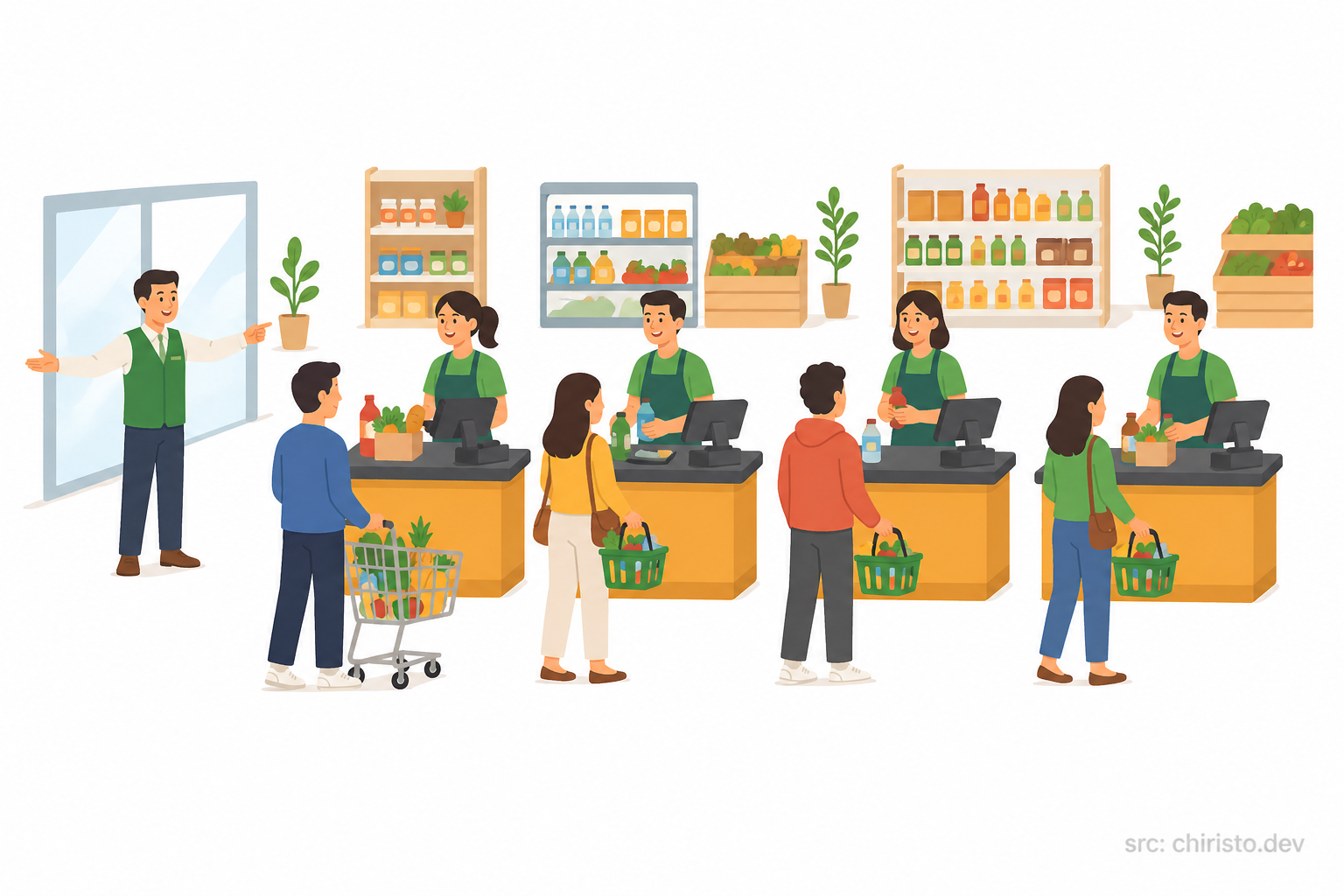
In software terms, this means running multiple instances of your application across multiple servers. Each server handles a slice of the incoming traffic.
The upside:
- Virtually unlimited scale, just keep adding more servers.
- No single point of failure. If one server dies, others continue serving.
- You can scale down when traffic drops and save cost.
The downside:
- Your application needs to be stateless, no single server should hold data that other servers cannot access.
- Requires a load balancer to distribute traffic (more on this in the next blog).
- More moving parts means more complexity.
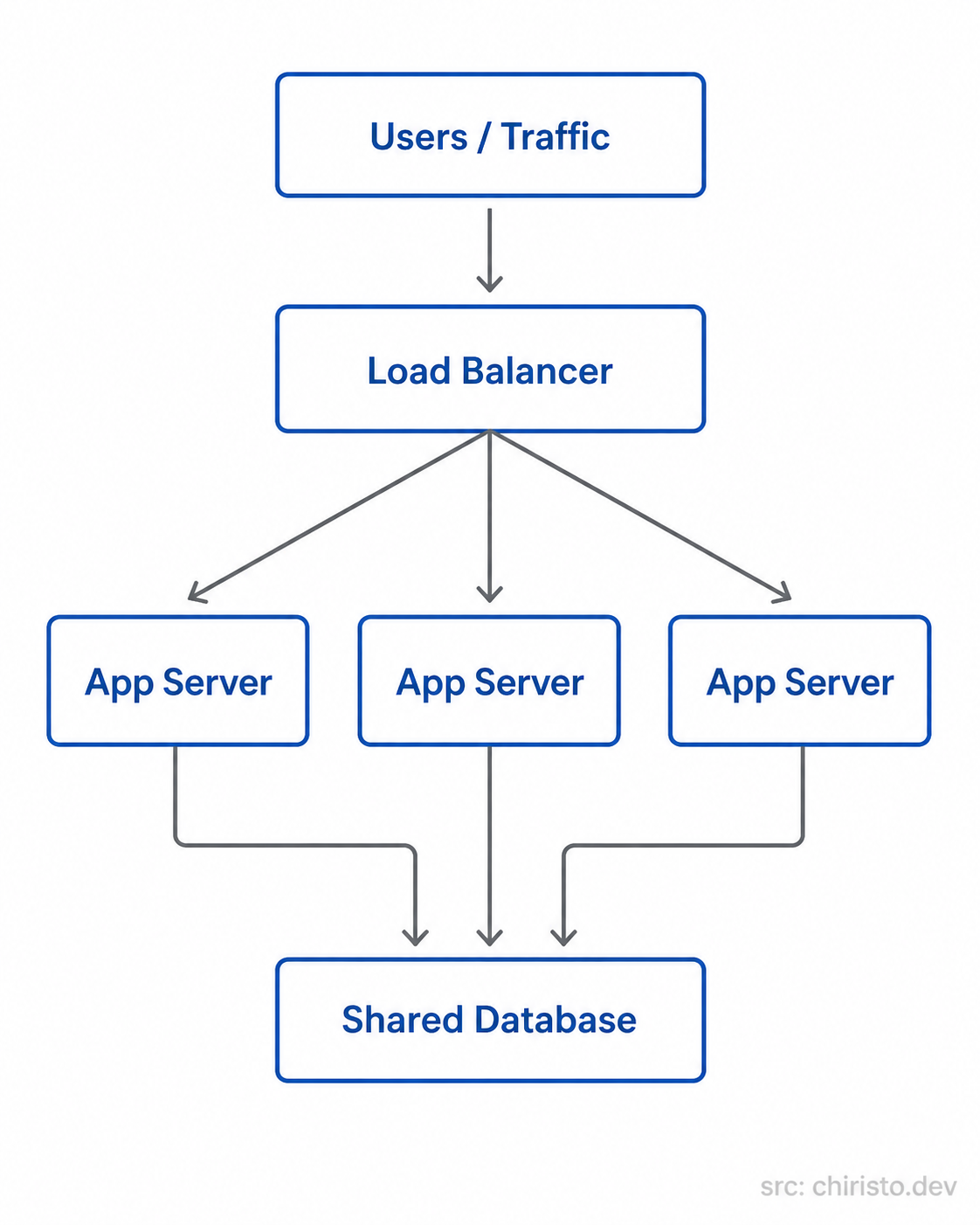
Stateless vs Stateful (The Hidden Trap)
Here is something most beginners miss.
When you scale horizontally, users might hit a different server on every request. If Server A stored your login session, but your next request goes to Server B, you are suddenly logged out.
This is the stateful trap.
The fix? Keep your application servers stateless. Move all shared sessions, user data, caches to a central store that all servers can access equally.
This is a foundational principle of horizontal scaling.
Which One Should You Choose?
| Vertical Scaling | Horizontal Scaling | |
|---|---|---|
| Cost at small scale | Cheaper | Slightly more overhead |
| Cost at large scale | Very expensive | Cost-efficient |
| Complexity | Low | Moderate to High |
| Failure risk | High (single point) | Low (distributed) |
| Growth ceiling | Hard limit | Virtually unlimited |
In practice: The smart move is to design for horizontal scaling from the start, even if you don't need it yet.
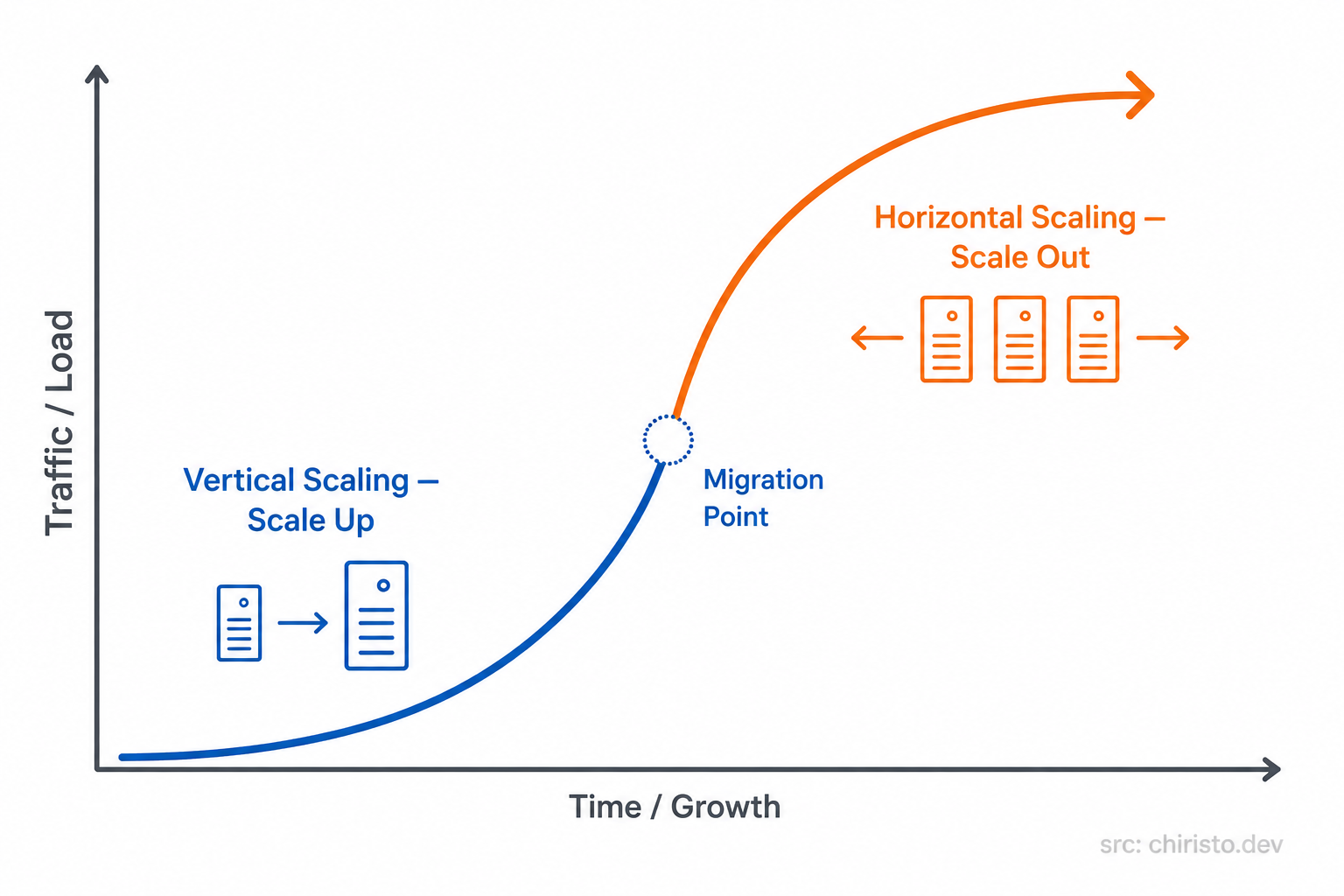
Generic Cloud Architecture - No AWS. No GCP. No Azure.
Before looking at specific cloud providers, here is what a horizontally scaled system looks like in pure system design terms:
The load balancer sits in front and distributes incoming requests. The app servers are identical and stateless. All shared data lives in one central place accessible to all servers.
Simple. Powerful. This is the foundation of almost every scalable system you will ever work with.
How This Looks on AWS, GCP, and Azure
The same concept, different service names.
| Component | AWS | GCP | Azure |
|---|---|---|---|
| Load Balancer | Application Load Balancer (ALB) | Cloud Load Balancing | Azure Load Balancer |
| Auto Scaling | Auto Scaling Groups (ASG) | Managed Instance Groups | VM Scale Sets |
| Shared Cache | ElastiCache (Redis) | Memorystore | Azure Cache for Redis |
| Shared Database | RDS / Aurora | Cloud SQL | Azure SQL |
Notice something? The architecture is identical. Only the service labels change. Once you understand the pattern, you can work on any cloud.
Quick Recap
- Scalability = a system's ability to handle growing load without breaking.
- Vertical scaling = make the server bigger. Simple, but has limits.
- Horizontal scaling = add more servers. Powerful, but requires stateless design.
- A load balancer distributes traffic across horizontal servers.
- Keep app servers stateless and store shared state in a central layer.
- All major clouds implement the same pattern with different service names.
What's Next?
We talked about splitting traffic across multiple servers but how does the system decide which server gets which request? What happens if a server goes down mid-request?
That is exactly what Load Balancers do, and that is what we are covering next.
See you in the next one.
Stay curious. Build better systems.
Comments
Enjoyed this one?
Subscribe to get posts like this straight to your inbox - no noise, just quality content.